How to Read a Check Engine Light Code: Step-by-Step Guide
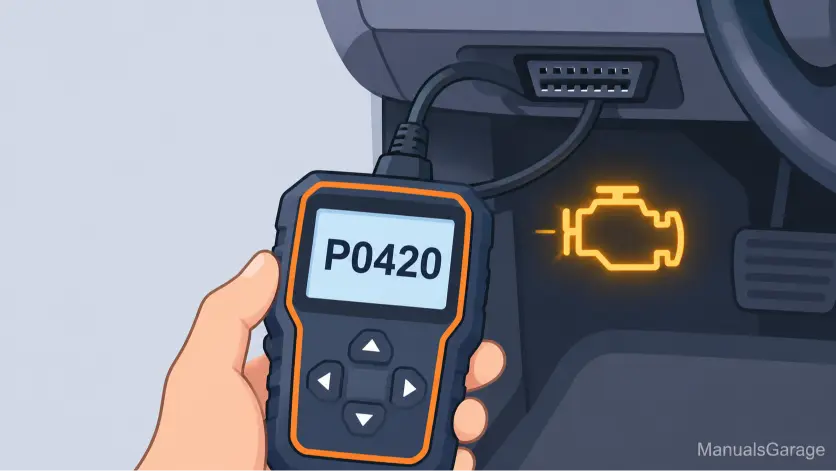
To read a check engine light code, plug an OBD-II scanner into the diagnostic port under the dash, turn the ignition to the on position, and retrieve the available diagnostic trouble codes (DTCs), such as P0420. The code tells you which system detected a fault, not which part has failed. This guide is for US drivers with basic tools and no mechanical experience, and it explains how to read the code safely and what to do with it next.
Key points
- A steady check engine light usually means a fault was detected; a flashing light can signal a serious problem such as an engine misfire.
- A scanner gives you a code, which is a starting point for diagnosis, not a repair order.
- Write down the code and any freeze frame data before you clear anything.
- Code definitions and supported data can vary by vehicle, so confirm details in your owner’s manual or manufacturer service information.
What a check engine light code means
Your vehicle’s computer constantly monitors the engine, emissions, and related systems. When a reading falls outside the range it expects, it stores a diagnostic trouble code (DTC) and may turn on the check engine light, also called the malfunction indicator lamp (MIL). OBD-II (On-Board Diagnostics, second generation) became mandatory for most light-duty gasoline vehicles sold in the US beginning with the 1996 model year. This standardized system lets compatible scanners read diagnostic codes from many different makes and models.
A code describes a condition the computer observed. For example, a catalyst efficiency code means the computer thinks the catalytic converter is not performing as expected. It does not prove the converter is bad, because a faulty oxygen sensor or an exhaust leak can produce the same code.
What you need
- An OBD-II scanner or code reader. Options include a basic handheld reader, a Bluetooth adapter paired with a phone app, or a more advanced scan tool. Check that it supports your vehicle. Our OBD2 scanner guide covers choosing and connecting one. Many auto parts stores will also read codes for you, though policies vary by location.
- Your owner’s manual. It shows the port location on some vehicles and explains the warning lights.
- A pen and paper or a phone. You will want to record everything the scanner shows.

Before you begin
- Park on level ground, set the parking brake, and shift to Park (automatic) or neutral (manual).
- If the check engine light is flashing, or the car is running rough, losing power, or overheating, do not keep driving to run this test. Arrange roadside assistance or a tow. A flashing light can indicate a misfire that may damage the catalytic converter. See our guide to P0300 and P0420 codes for two common examples.
- Check the gas cap. A loose or damaged cap can trigger an evaporative emissions code. If you tighten it, the light may not turn off immediately; it can take several drive cycles.
Step-by-step: how to read the code
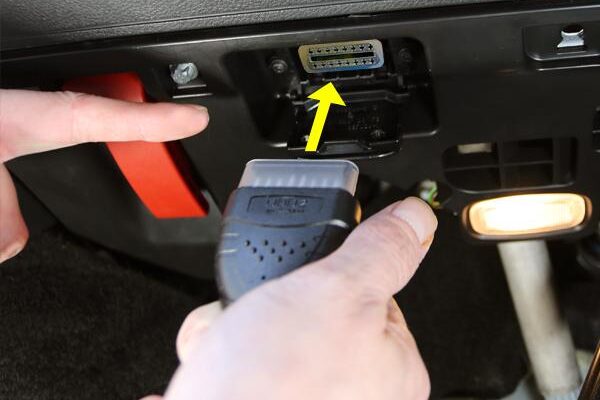
- Find the OBD-II port. It is a 16-pin trapezoid-shaped connector, typically located under the dashboard on the driver’s side. Some vehicles hide it behind a small panel or place it near the center console. Your owner’s manual can confirm the location.
- Turn the ignition off. Connect the scanner firmly. The connector fits only one way, so do not force it.
- Turn the ignition to the on position without starting the engine. This is often called key on, engine off. Most scanners power up from the port. Push-button vehicles may need the button pressed without your foot on the brake.
- Follow the scanner’s prompts to read codes. Look for a menu item such as Read Codes, DTCs, or Trouble Codes. Some tools show both stored (confirmed) and pending codes.
- Write down every code exactly as shown. Note the order, whether each is stored, pending, or permanent, and any freeze frame data. Freeze frame is a snapshot of conditions such as engine speed and coolant temperature when the fault was recorded.
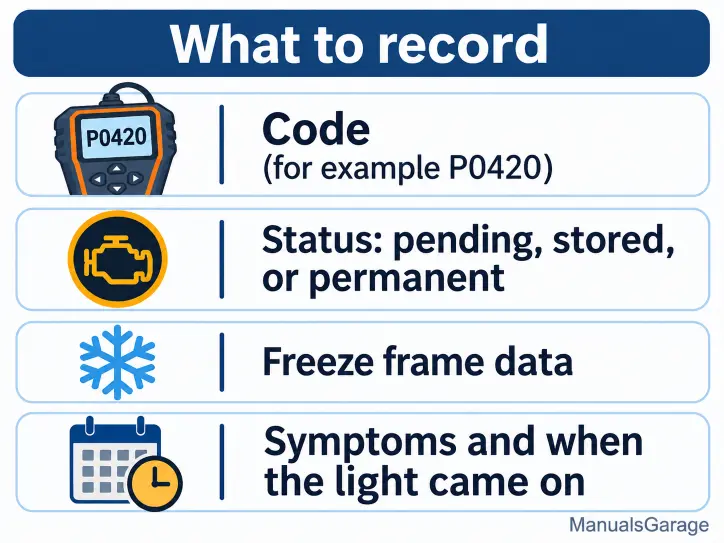
- Look up the definition. Use the scanner’s built-in description, then verify it against a reliable source for your exact vehicle.
- Disconnect the scanner only after you have recorded the information: turn the ignition off, then unplug it following the scanner manufacturer’s instructions.
Stop if the scanner will not power on, shows a communication error, or the port looks damaged. Do not probe the port with tools. A technician can check the port’s wiring and fuses.
How to read the code format
A code has five characters, such as P0301.
| Character | What it tells you |
|---|---|
| First letter | System: P powertrain (engine and transmission), B body, C chassis, U network communication |
| Second character | 0 generally means a standardized (generic) code; 1 generally means a manufacturer-specific code |
| Third character | The subsystem involved, such as fuel and air metering, ignition or misfire, or emissions controls |
| Last two digits | The specific fault within that subsystem |
For example, P0301 is a standardized powertrain code indicating that the engine computer detected a misfire in cylinder 1. It does not automatically mean the spark plug, ignition coil, or fuel injector is faulty; further testing is needed. The exact definition of manufacturer-specific codes can differ between makes, so look those up for your vehicle.
How to interpret the result
- What the code may mean: It points to the system and circuit where the computer saw a problem.
- What it does not prove: It does not identify the failed part. A code can come from a bad sensor, wiring damage, a vacuum or exhaust leak, or a real mechanical issue.
- Pending vs. stored: A pending code means the computer detected a fault that has not yet met the conditions for confirmation. A stored code means the fault met the system’s criteria for confirmation. Depending on the fault and vehicle, the check engine light may turn on before or after confirmation. A basic scanner may not display every code type.
- Multiple codes: Start with the first or most serious. Related codes sometimes share one cause.
- What to check next: Look for simple, visible causes first, such as the gas cap, loose connectors, or obvious fluid leaks. Then search for the code along with your year, make, model, and engine to see what is common for that vehicle.
| Situation | Possible explanation | Safe next check | When to stop |
|---|---|---|---|
| Steady light, car drives normally | A detected fault, possibly emissions-related | Check gas cap, read code, note freeze frame | Rough running, stalling, or overheating appears |
| Flashing light | Possible active misfire | Do not drive further than necessary | Immediately; arrange a tow or professional help |
| Light came on after refueling | Possible evaporative system issue, such as a loose cap | Tighten the cap and monitor the car if the light is steady and it runs normally; read the code rather than assuming the cap is the cause | The light stays on or returns |
| Light on plus another warning light | A more serious condition may be present | Check the owner’s manual for that warning | Red oil pressure or temperature warning: stop safely as soon as possible and follow the owner’s manual |

These are possibilities, not confirmed diagnoses.
Common mistakes
- Replacing a part based on the code alone. Test or inspect first. Parts swapping can be expensive and may not fix the problem.
- Clearing the code to make the light go away. Clearing erases useful data, and the light will return if the fault remains. It can also leave your vehicle not ready for an emissions inspection. Never clear codes to hide a problem or bypass an inspection.
- Ignoring a flashing light. Continued driving with an active misfire can cause costly damage.
- Trusting a generic definition for manufacturer-specific codes. Verify the definition for your vehicle.
- Forgetting to record freeze frame data. It can help a technician narrow down the cause.
When professional diagnosis is needed
See a qualified technician if the light is flashing, the car runs poorly or loses power, you see smoke or smell fuel, the code involves a safety-critical system such as brakes, airbags, or steering, or you have checked the simple items and the light keeps returning. When you go, bring the codes, the freeze frame data, and a description of when the light appeared and how the car behaved.
Frequently asked questions
Can I drive with the check engine light on? If the light is steady and the car drives normally, many drivers can continue to a safe location and have it checked soon. If it is flashing or the car feels wrong, stop driving and get help. Your owner’s manual explains how your vehicle treats the warning.
Will the light turn off by itself? Sometimes. If the computer no longer detects the fault after several drive cycles, it may turn the light off. A stored code can remain in memory for a time afterward.
Does a code tell me exactly which part to replace? No. It identifies a condition the computer detected. Further testing is usually needed to find the root cause.
Do I need to disconnect the battery to clear the code? Disconnecting the battery is not a recommended way to clear a code. It can reset other vehicle settings and erase the data a technician needs. Fix the underlying problem first, then let the computer confirm it.
Can an auto parts store read my code for free? Many stores offer this, but it varies by location. Treat the result as a starting point, not a diagnosis.
Conclusion
Reading a check engine light code takes only a few minutes: connect the scanner, record the code and freeze frame data, and look up what the code means for your vehicle. Then check the simple causes, avoid replacing parts on a guess, and get professional help if the light is flashing or the problem persists.
Sources and further reading
- Your vehicle’s owner’s manual and manufacturer service information for the exact year and model.
- NHTSA (nhtsa.gov) for safety recalls related to your vehicle.
- US EPA information on on-board diagnostics and emissions systems.
- Your state’s official inspection or emissions program page, if your state requires testing.
This article is for general education and does not replace your owner’s manual or a qualified technician’s advice.
Related articles

P0300 and P0420 Codes: Causes and What to Do
P0300 means the engine computer detected random or multiple-cylinder misfires. P0420 means it judged that the catalytic converter (bank 1) is not cleaning exhaust…
How to Use an OBD2 Scanner: A Beginner’s Guide
An OBD2 scanner plugs into your car’s diagnostic port and reads the trouble codes your engine computer stores when something goes wrong, such as…